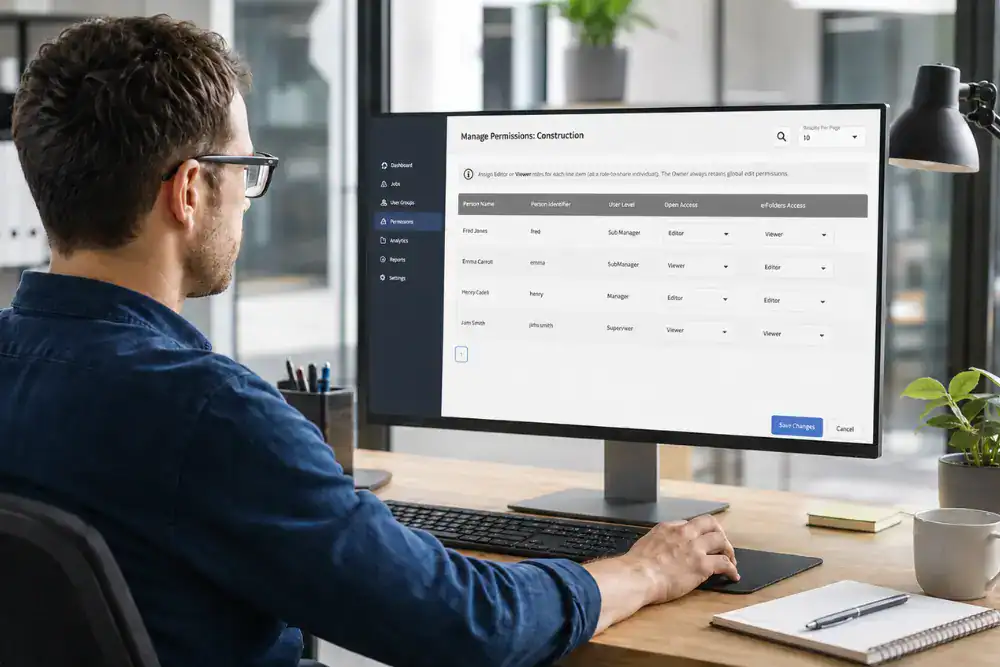
Human Focus has introduced new Editor and Viewer permissions for User Groups and Content Builder e-Folders. These updates give organisations more precise control over who can view information, who can make changes and how administrative responsibilities are shared.
Relevant users can now be given the visibility they need without automatically receiving editing rights within an individual User Group or Content Builder e-Folder.
Human Focus LMS already controls access at several levels:
- Administration levels determine the broad areas of the system a user can access, from completing training and viewing personal results to reporting, user management and wider administration.
- Organisation Permissions can narrow this access further according to factors such as site, department and user level.
- User Groups allow organisations to organise selected users and assign courses or entire e-Folders to those groups.
- Availability Permissions control access to enabled features such as Content Builder.
The latest updates build on these existing controls. Rather than only determining whether someone can access a system area, organisations can now control whether they can view or edit a particular User Group or Content Builder e-Folder.
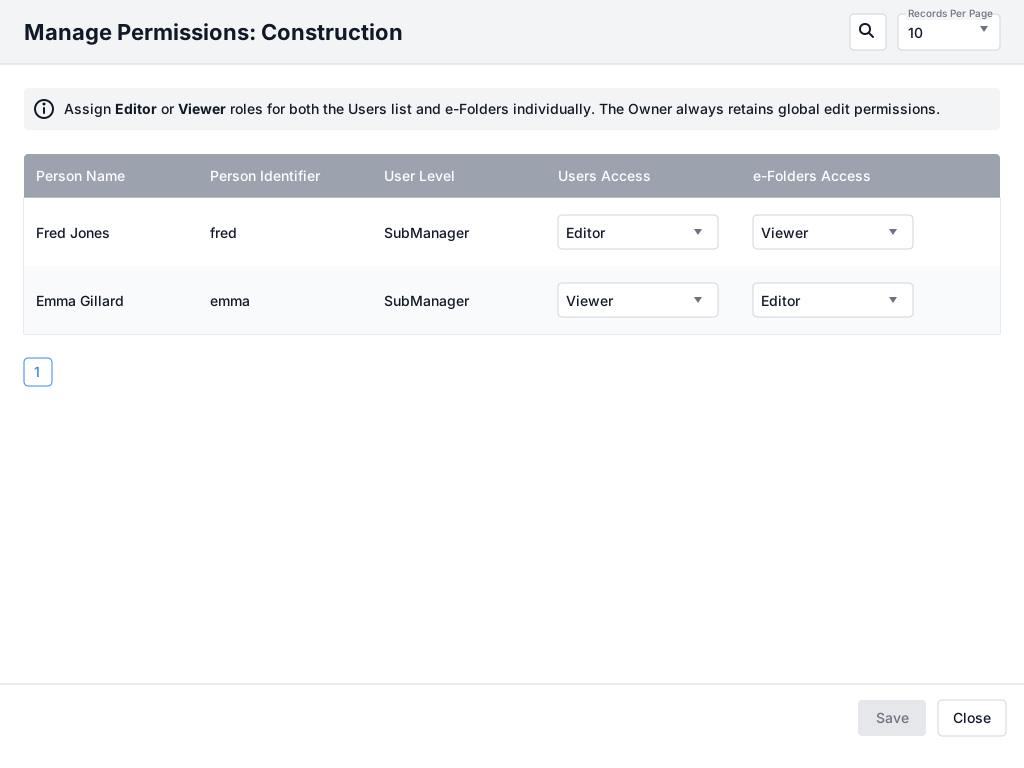
When this feature is enabled at the organisation level, eligible users can be assigned Editor or Viewer access for individual User Groups.
Permissions are divided into two areas:
These permissions can be set independently. A user could therefore be allowed to manage the members of a group while only viewing its assigned training, or manage training assignments without being able to change the group’s membership.
This gives organisations greater flexibility when responsibilities are divided between different people.
For example:
- A local administrator could manage employees within a group.
- A training manager could remain responsible for its course assignments.
- A stakeholder who only needs oversight could be given Viewer access to both areas.
Manager users continue to have Editor access to all User Groups. Existing Sub-managers retain Editor access to current groups when the feature is first enabled, although their access can subsequently be changed. Newly created Sub-managers receive Viewer access by default.
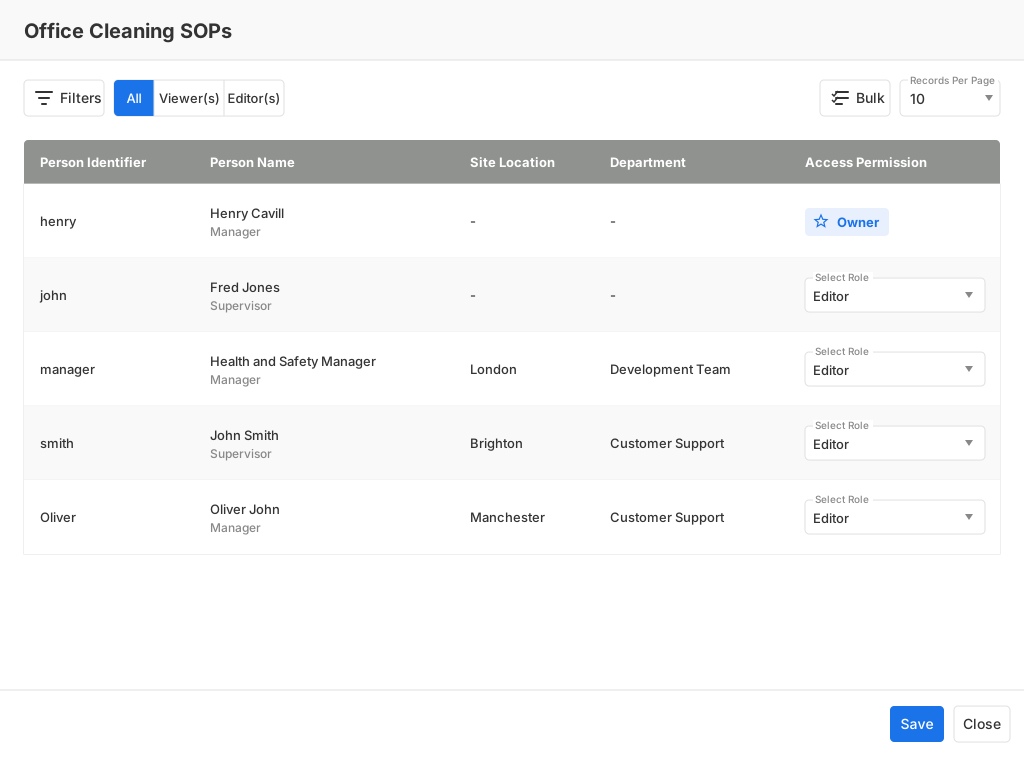
Content Builder users can now assign Editor or Viewer access to other users for individual e-Folders they have created.
Although both updates refer to e-Folders, they control different activities. Within a User Group, e-Folders Access determines who can add or remove training assigned to that group. Within Content Builder, e-Folder permissions determine who can view or change the content inside a particular e-Folder.
Three access types are used in Content Builder:
Manager users retain Editor access by default, ensuring they can continue to oversee e-Folder management. Permissions are applied separately to each e-Folder, so a user can have editing rights for one e-Folder and read-only access to another.
The permissions screen can be filtered by user, site location, department and User Group. A Bulk option also allows permissions for multiple users to be updated together, making access easier to manage across larger workforces.
The existing access controls in Human Focus determine a user’s broad role, organisational scope and access to specialist features. The new Editor and Viewer permissions add more detailed control within the areas where people work together.
These enhancements can help organisations:
- give managers and stakeholders visibility without unnecessary editing rights
- delegate User Group membership and training assignments separately
- involve subject specialists in content reviews without allowing them to change the material
- share responsibility for content development with selected Editors
- reduce the risk of unintended changes
- maintain clearer ownership of internally created training content
For example, a regional administrator could be given Editor access to the users in a local group but Viewer access to its training assignments. In Content Builder, a subject specialist could review an e-Folder as a Viewer while an authorised content developer retains responsibility for making changes.
This allows access to reflect what each person is responsible for, rather than giving everyone the same level of control.
Both enhancements are permission-based and must be enabled at the organisation level before the new controls become available.
Once User Group permissions are enabled, users with Editor access can open Group Management, select the relevant User Group and choose Manage Permissions. User and e-Folder access can then be assigned separately.
For Content Builder, an authorised user can open the relevant e-Folder, select e-Folder Permission and assign Editor or Viewer access to eligible users. Changes take effect after they are saved.
Detailed guidance is available through the Human Focus Help Centre:
Together, these updates extend Human Focus access controls from broad system roles and organisational permissions to individual User Groups and Content Builder e-Folders. Organisations can provide appropriate visibility, delegate work more precisely and keep editing rights with the users responsible for managing people, training assignments and content.