Human Focus has introduced three updates that give learners more choice over how they access training, enter responses and use the mobile app.
Learners can now select supported audio and caption languages within course videos, use speech-to-text when answering text entry questions and navigate the Human Focus mobile app in one of 13 languages. The app also supports localised time zones and date formats, helping create a more familiar experience for users in different regions.
Human Focus already includes several features that help users access and complete training in a way that suits their needs. Dyslexic Mode applies a dyslexia-friendly font and colour scheme across the system and makes text-to-speech available within e-Learning content and e-Checklists. The video player also includes adjustable playback speed and a grayscale display option.
Language and regional settings are available in other parts of the system. The web application can be translated using Google Translate, while organisation-wide defaults and individual preferences can be set for time zones and date formats.
The latest updates build on these existing capabilities by improving three important parts of the learning experience: watching and understanding course videos, answering written questions and navigating the mobile app.
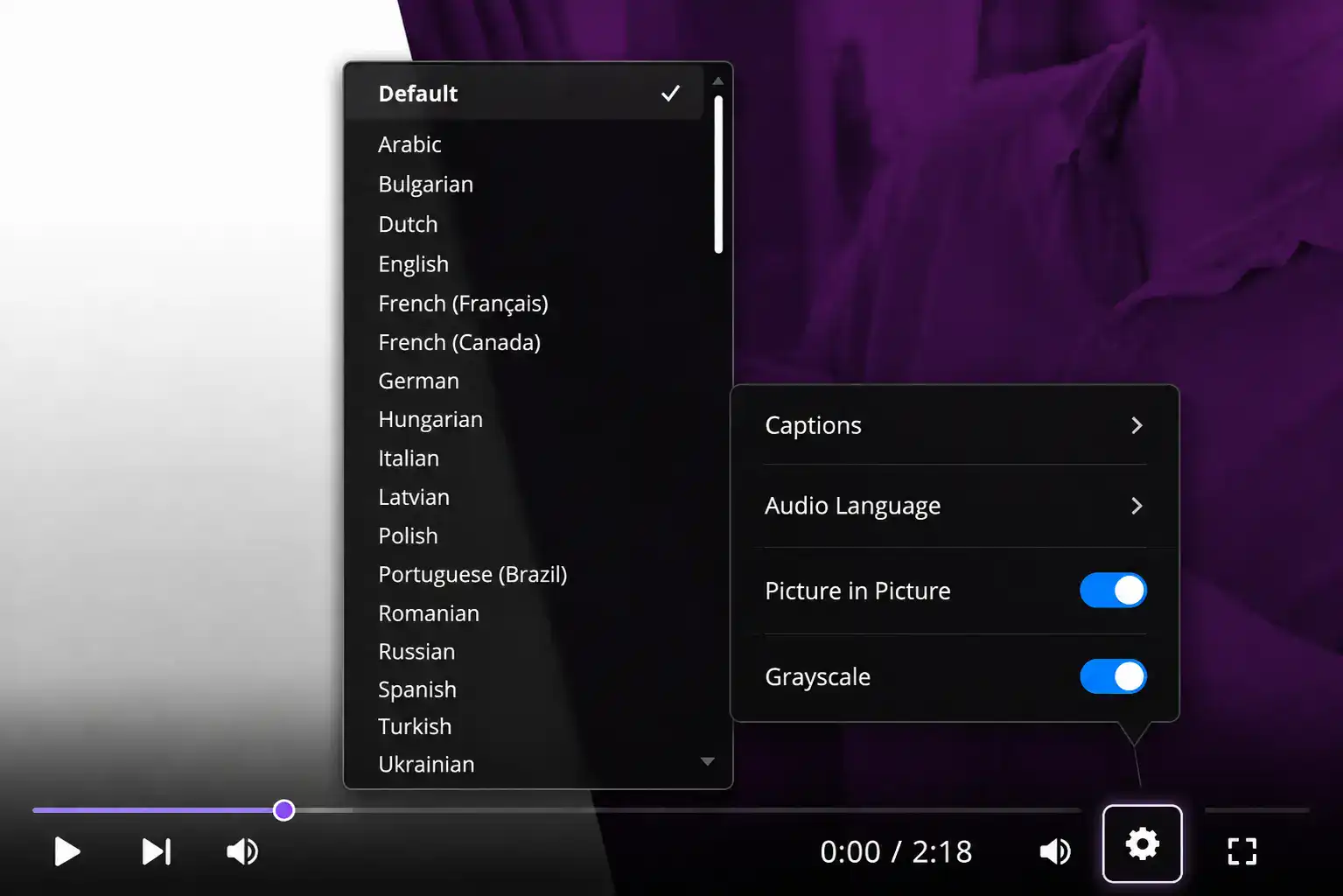
Where a course video contains multiple audio tracks, learners can now choose their preferred audio language directly from the video player. The language can be selected before or during playback without affecting the learner’s course progress or results.
Subtitles and closed captions are also available in over 20 languages where supported. Learners can set a preferred caption language across their training or select a different language for a particular video. When captions are not available in the selected language, the system displays a notification.
The updated Settings menu brings these language options together with existing controls such as playback speed, picture-in-picture and grayscale. This makes the available viewing options easier to find and adjust while training is in progress.
Providing both audio and caption choices gives learners more flexibility over how they follow video content. It can also help organisations deliver training to multilingual workforces without maintaining a separate course for every available audio language.
Please note: Multi-language audio is automatically generated, so it may not always be fully accurate or perfectly synchronised with the video.
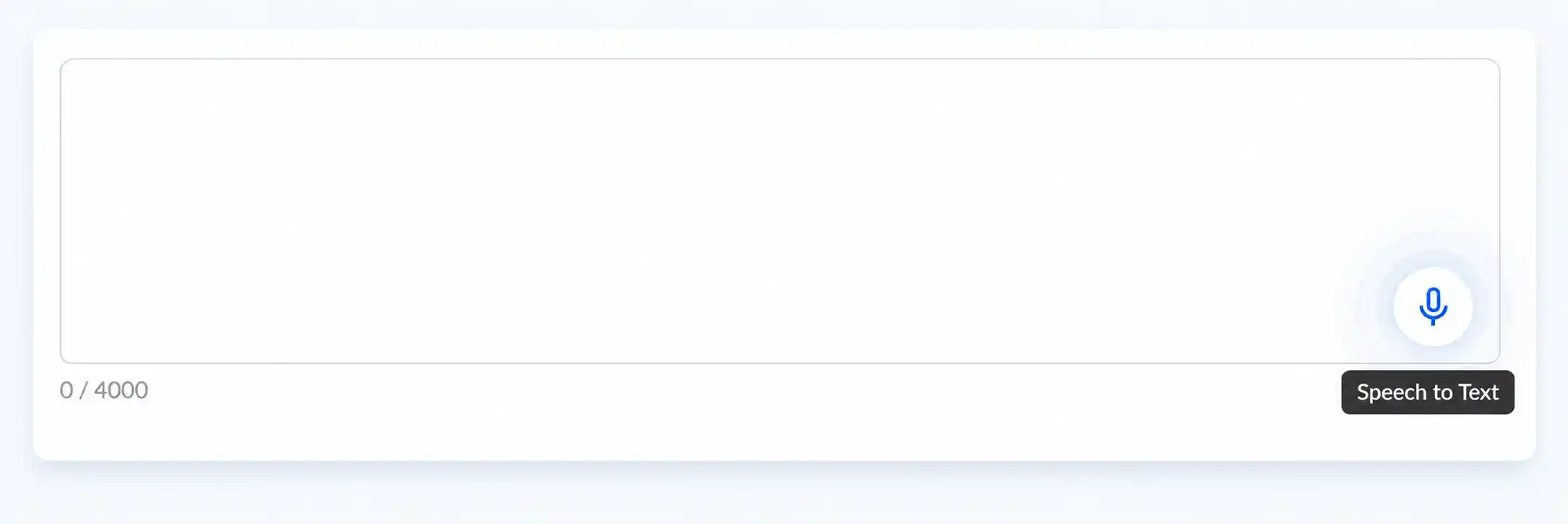
Learners can now use speech-to-text when responding to text entry questions.
Previously, these answers had to be entered manually using a keyboard. Where the speech-to-text option is available, the learner can select the microphone icon and speak their response. The system converts the speech into text within the answer field.
The converted response can be reviewed and edited before it is submitted. This is important because it allows the learner to check that the text reflects what they intended to say.
Speech-to-text provides another way to answer questions for users who find typing difficult or prefer voice input. It can also make longer text responses more convenient to enter on phones, tablets and other devices.
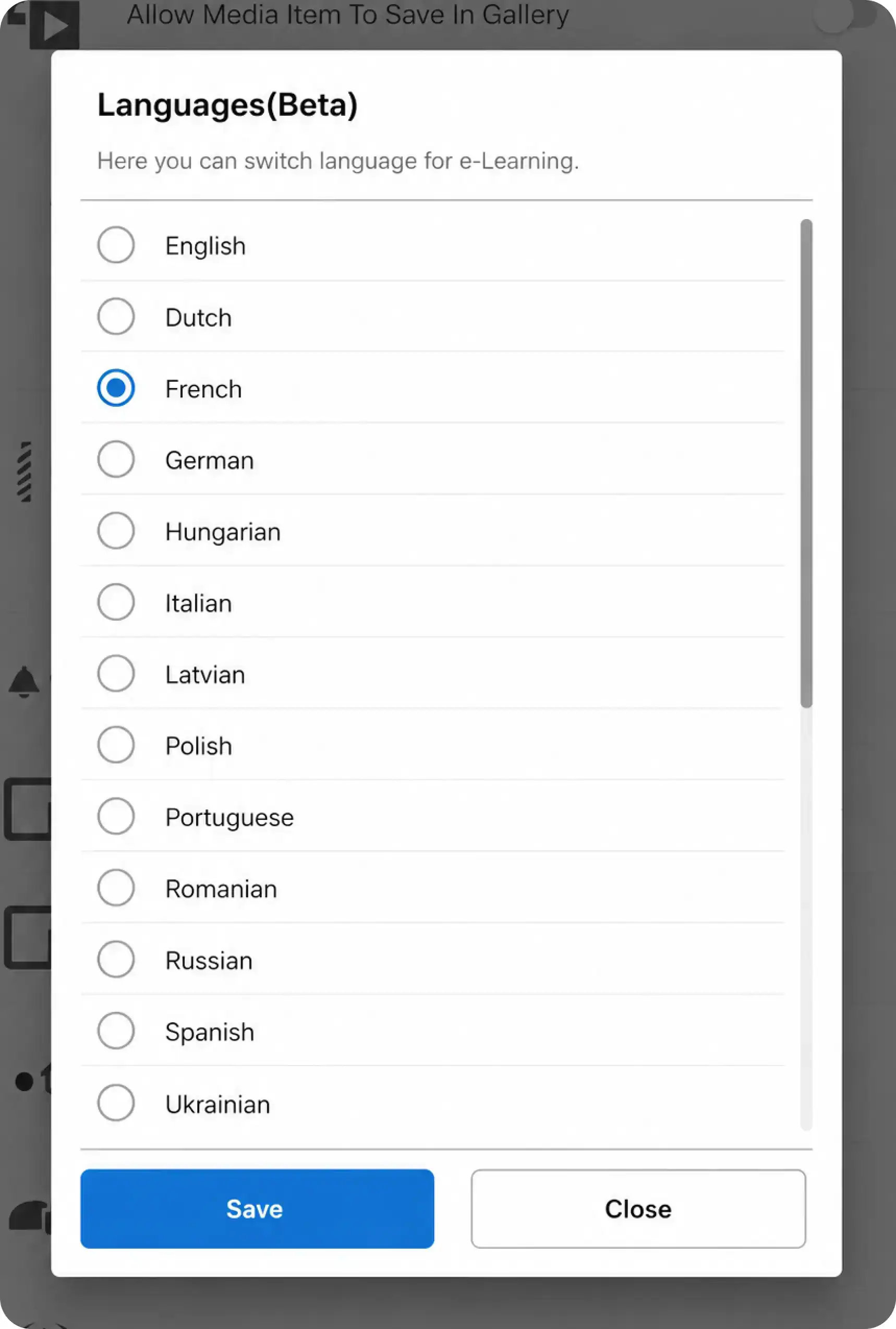
The Human Focus mobile apps for iOS and Android now support localised interfaces. Users can change the app language through the settings area, although the exact process differs between the two operating systems. On Android, the available languages are displayed within the app. On iOS, the user is directed to the device’s language settings for the Human Focus app.
The following 13 languages are currently available:
- English
- Dutch
- French
- German
- Hungarian
- Italian
- Latvian
- Polish
- Portuguese
- Romanian
- Russian
- Spanish
- Ukrainian
App localisation changes the language used for the interface, including menus, settings and navigation. It does not automatically translate the training content itself. Where a course video supports additional audio or caption languages, these can be selected separately from the video player.
The mobile app also supports localised time zones and date formats. This complements the regional settings already available in Human Focus, which allow organisations to set defaults and users to select formats appropriate to their location. For example, a user can choose between date formats such as DD/MM/YYYY and MM/DD/YYYY.
More choice over video content: Learners can listen to supported course audio in their preferred language, use captions or combine the two. Existing playback and display controls provide further flexibility over how videos are viewed.
Another way to answer questions: Speech-to-text reduces reliance on keyboard input. Learners can dictate an answer, check the converted text and make any necessary changes before submitting it.
A more familiar mobile experience: Localised interface language, time zones and date formats make the app easier to navigate across different countries and regions.
Together, these features allow learners to choose between listening and reading, typing and speaking, and different language and regional settings. This can support multilingual teams, users with reading or typing difficulties and employees who complete training on mobile devices.
To change the audio or caption language during training, open the video player’s Settings menu and select Audio Language or Captions. The options shown depend on which languages are available for that course video.
For a text entry question, select the microphone icon where it is available, speak the answer and review the converted text before submitting the response.
To change the mobile app language, open My Account, select Settings and then choose Language. Android users can select and save a language within the app, while iOS users are directed to the relevant device settings.
Detailed instructions are available in the Human Focus Help Centre guidance covering Multi-Language Audio, Subtitles and Closed Captions, Speech-to-Text Support for Text Entry Questions, Mobile App Multilingual Support and Global Time-Zone and Date Settings.
These updates extend the accessibility and language options already available in Human Focus. Learners now have more control over how they follow video content, provide written responses and use the mobile app, helping organisations deliver a more flexible training experience across different languages, devices and working environments.