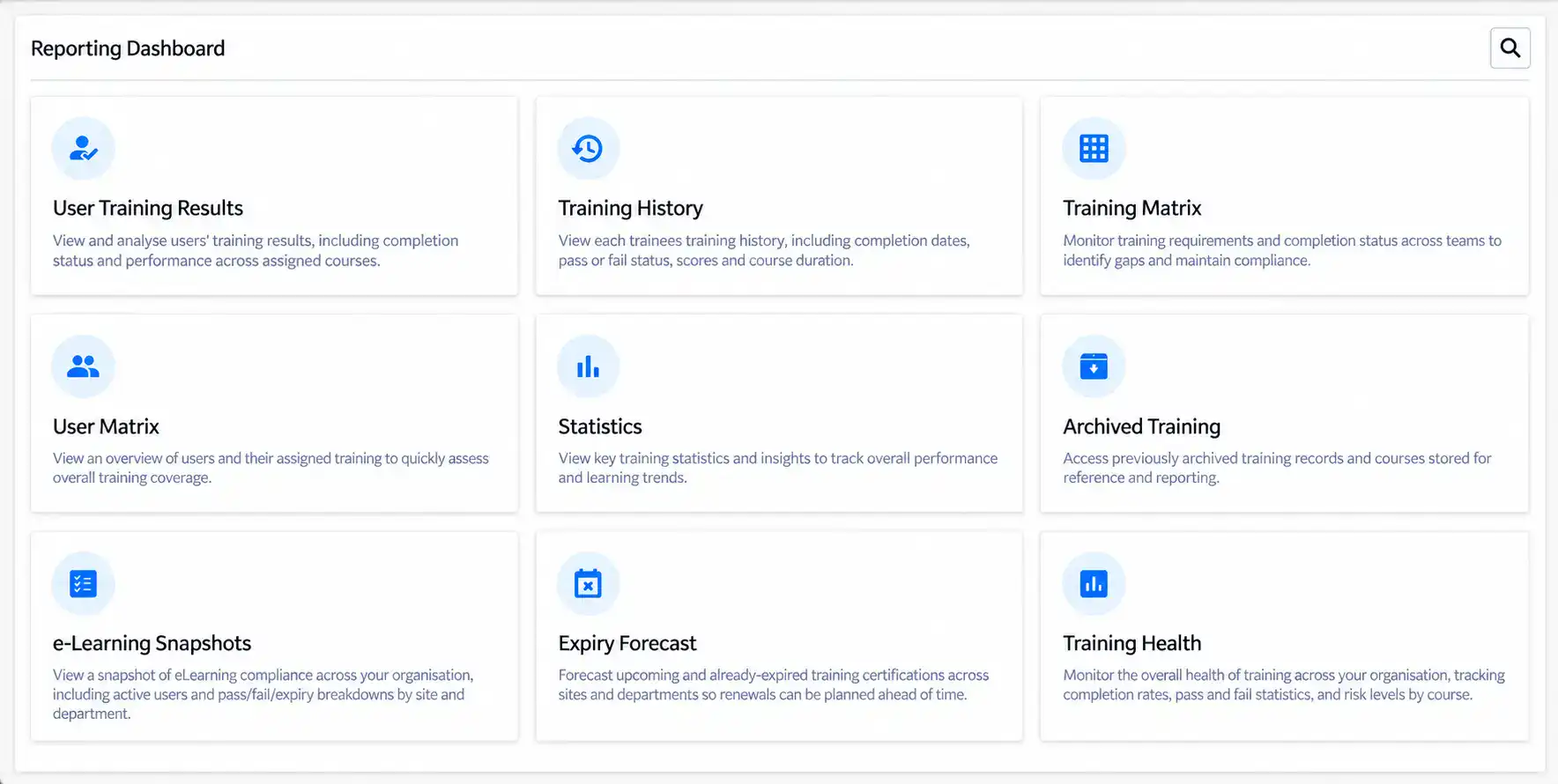
The Human Focus system now has a refreshed Reporting Dashboard with a modern, card-based design, improved navigation and built-in search, making it faster and easier to find and analyse your training data.
We’ve also introduced five new reports across Reporting and e-Checklist that give managers a clear, organisation-wide view of compliance, training performance, upcoming renewals and outstanding checklist activity.
These updates support more proactive compliance management. Areas that require attention are now easier to identify, follow-up can begin from the report itself, and progress can be compared over time to support management and compliance reporting.
The refreshed dashboard is designed to help you access the information you need with less effort, whether you’re monitoring compliance, tracking learner progress or reviewing performance.
Each report available to you now appears as an individual card, with built-in search to find one by name. The modern design, improved navigation and more intuitive layout together make for a smoother and more efficient reporting experience.
The new dashboard also gives greater control over how your reporting workspace is organised.
Manager users can choose which reports appear, rename them to match your organisation’s own terminology, and reorder them so the reports used most often sit where they are needed.
Dashboard customisation is applied at organisation level rather than to an individual user, helping maintain consistent report names and ordering for everyone with reporting access.
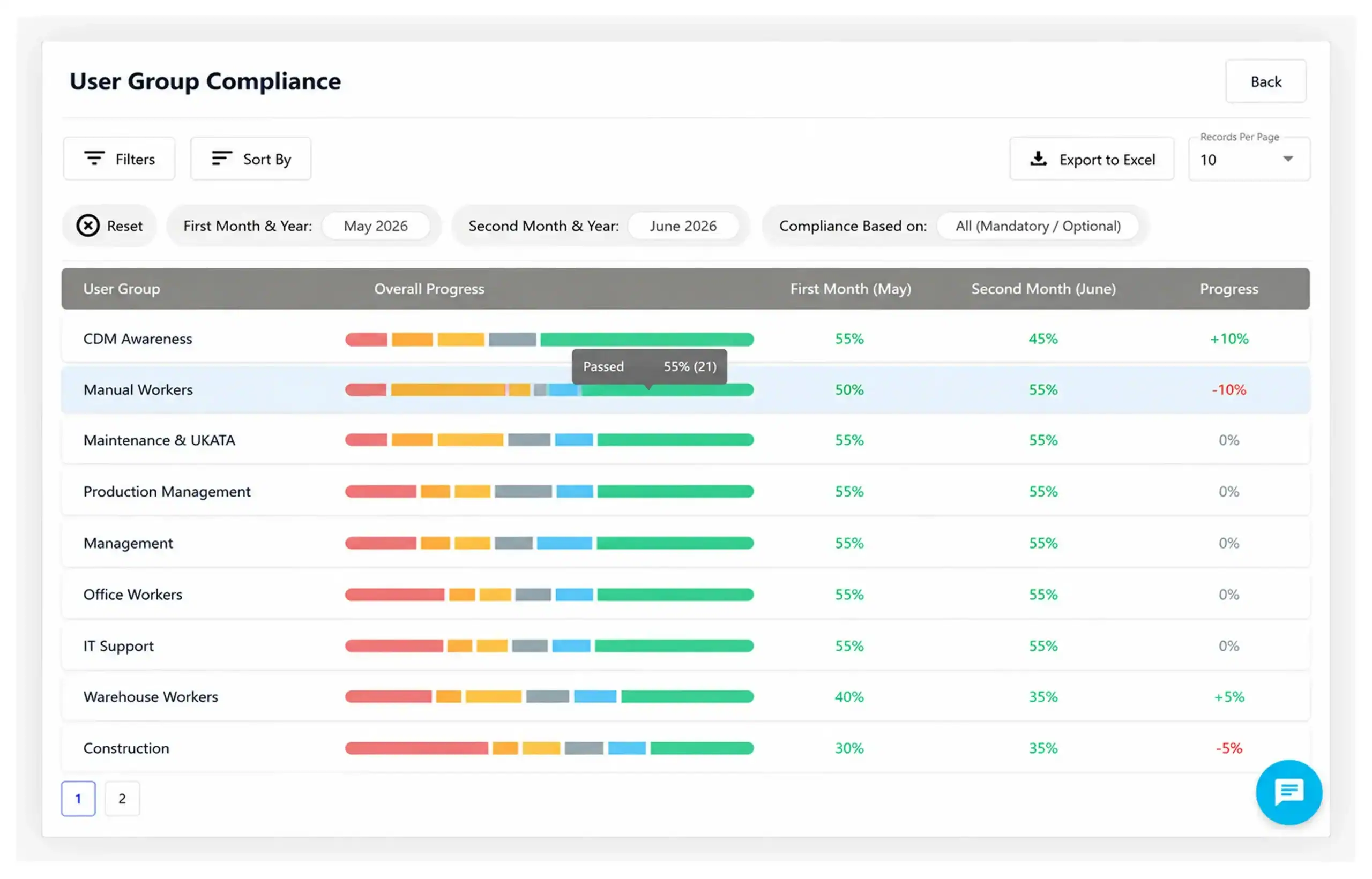
The new User Group Compliance Report provides greater visibility into compliance performance across user groups, comparing results between two selected months so trends are easier to identify and progress is easier to monitor over time.
Each user group is shown with its compliance result for both months, a colour-coded breakdown of its current training status, and the difference between the two periods. Results can be narrowed to particular groups, sites or departments, and limited to mandatory or optional training.
For managers and administrators, this gives a clearer understanding of compliance levels within specific user groups, and a basis for taking proactive action where required.
The new e-Learning and e-Checklist reports are designed to make it easier to move from an organisation-wide picture to the underlying users and records. Each opens on a summary of where things stand, breaks that down by site, department or individual course, and lets you move from a summary figure to the records behind it. All can be filtered and exported to Excel for further analysis.
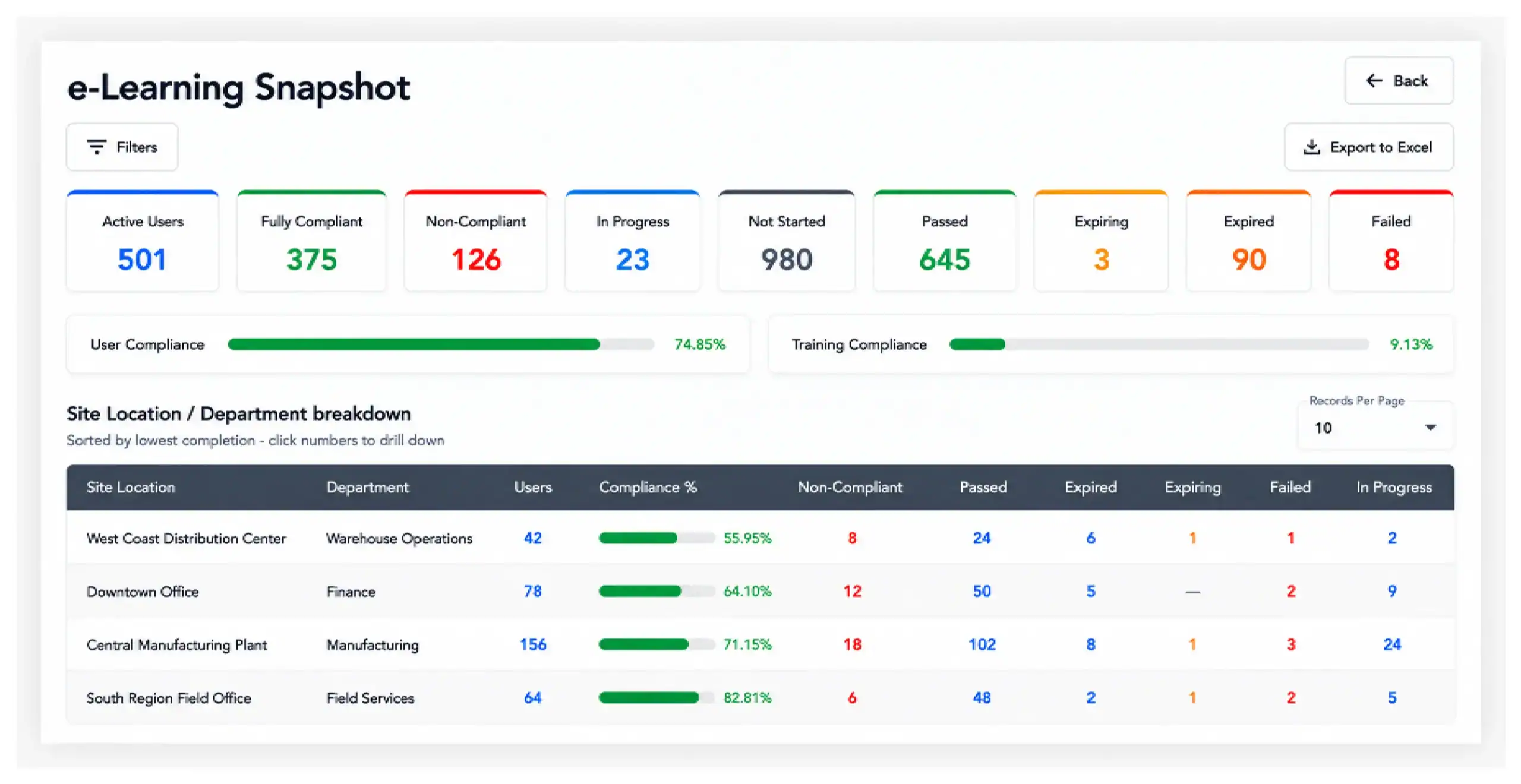
The new e-Learning Snapshot provides managers with a clear, organisation-wide overview of training compliance, highlighting fully compliant and non-compliant users alongside the key training statuses: passed, in progress, not started, expiring, expired and failed.
Compliance is then broken down by site and department, ordered so that the lowest-performing areas appear first. Managers can open any figure to see the users behind it and review their assigned training, making it straightforward to identify where attention is needed.
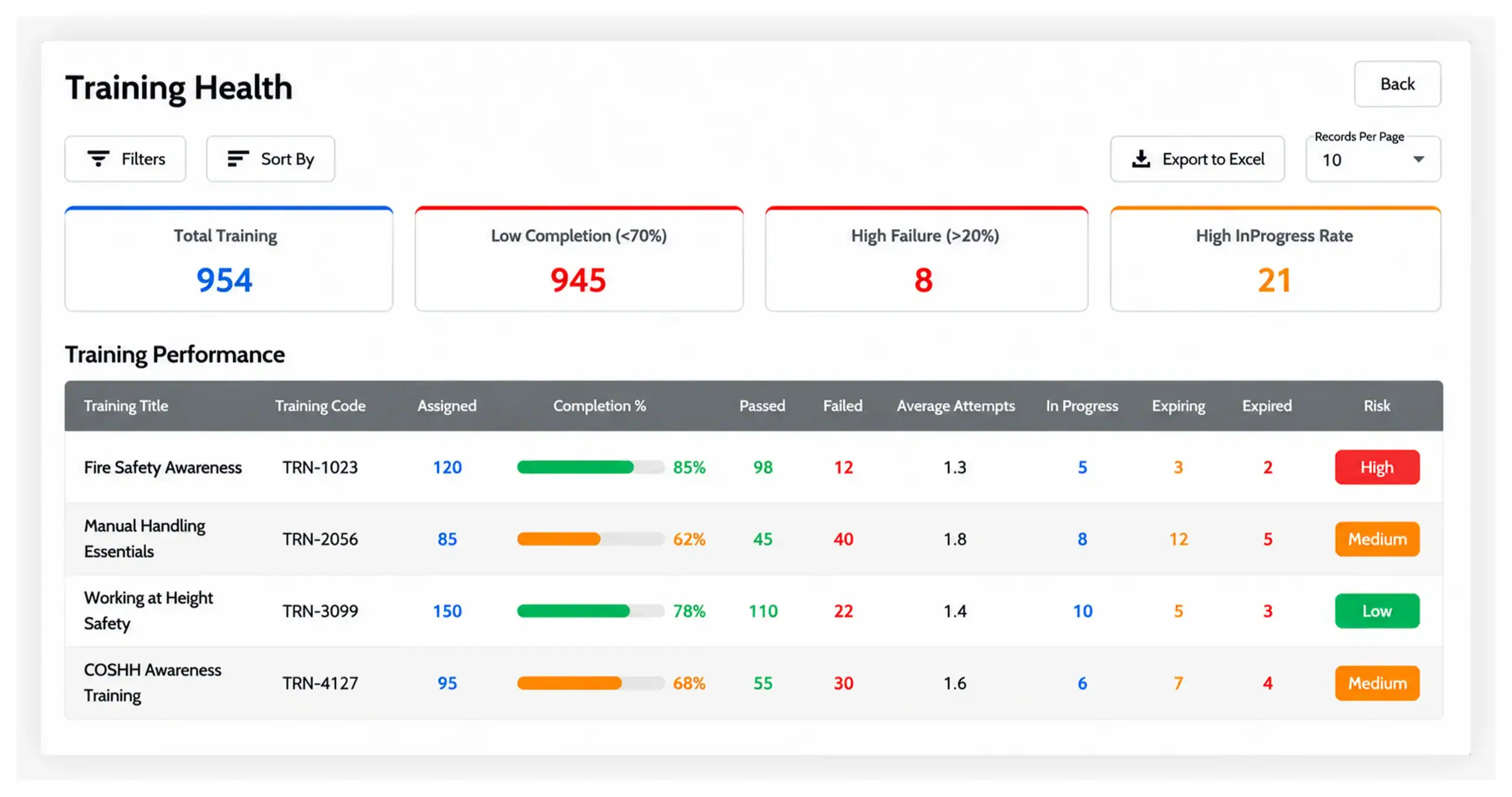
The new Training Health report gives greater visibility of training performance across the organisation, highlighting training with low completion rates, high failure rates and a high proportion of users still in progress.
For each course, managers can review completion rates, passed and failed records, average attempts, and training that is expiring or expired. Read together, these indicators can help managers identify training that may warrant further review, rather than looking only at individual learner progress. The user counts behind each training status can be opened to follow up with the people concerned.
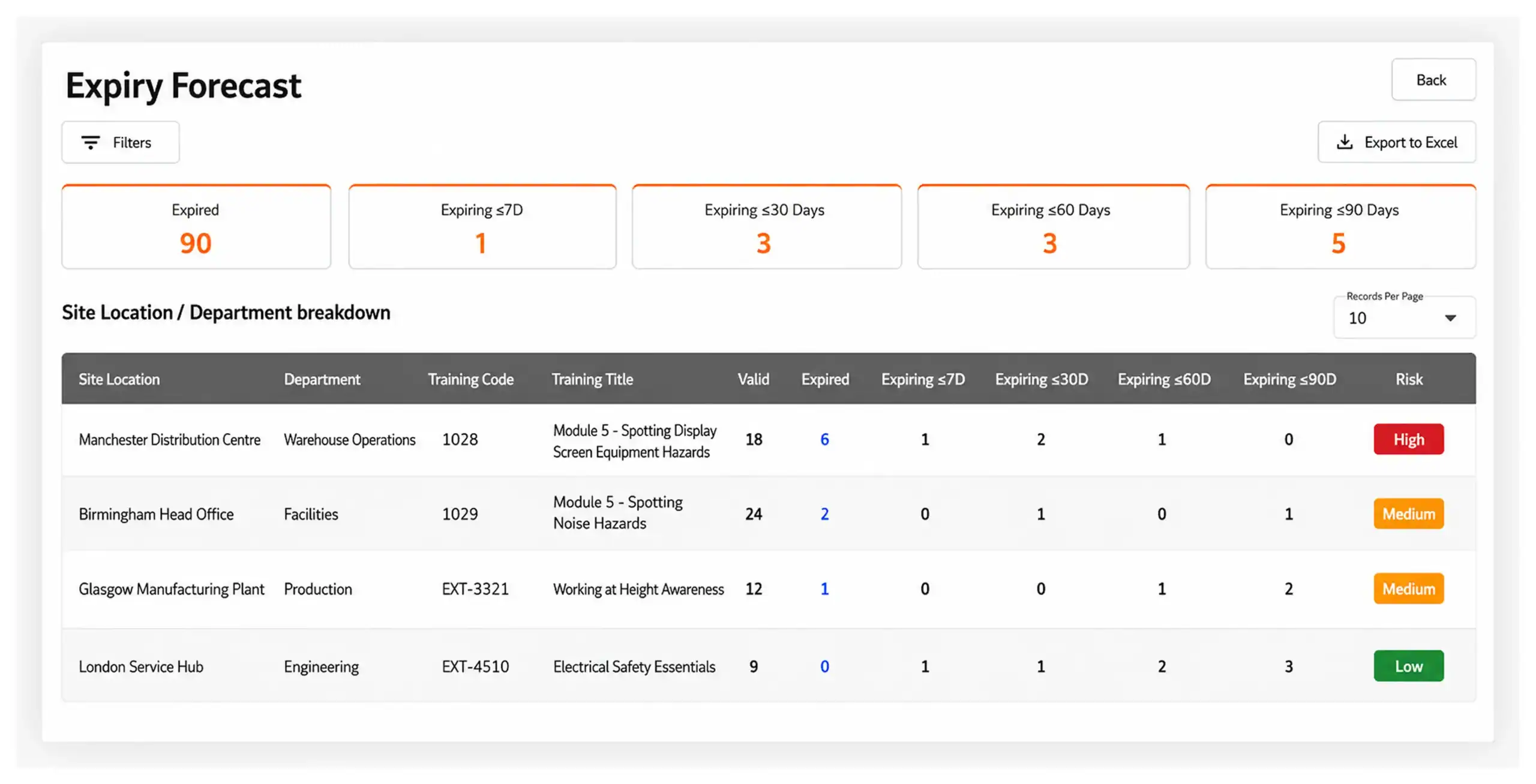
The new Expiry Forecast helps managers stay ahead of upcoming training renewals, giving a clear view of training that has already expired and training due to expire within the next 7, 30, 60 or 90 days.
Expiry information can be reviewed by site, department and training, then opened up to identify the users affected. Email reminders can be sent directly to trainees from within the report, helping managers take action before training expires.
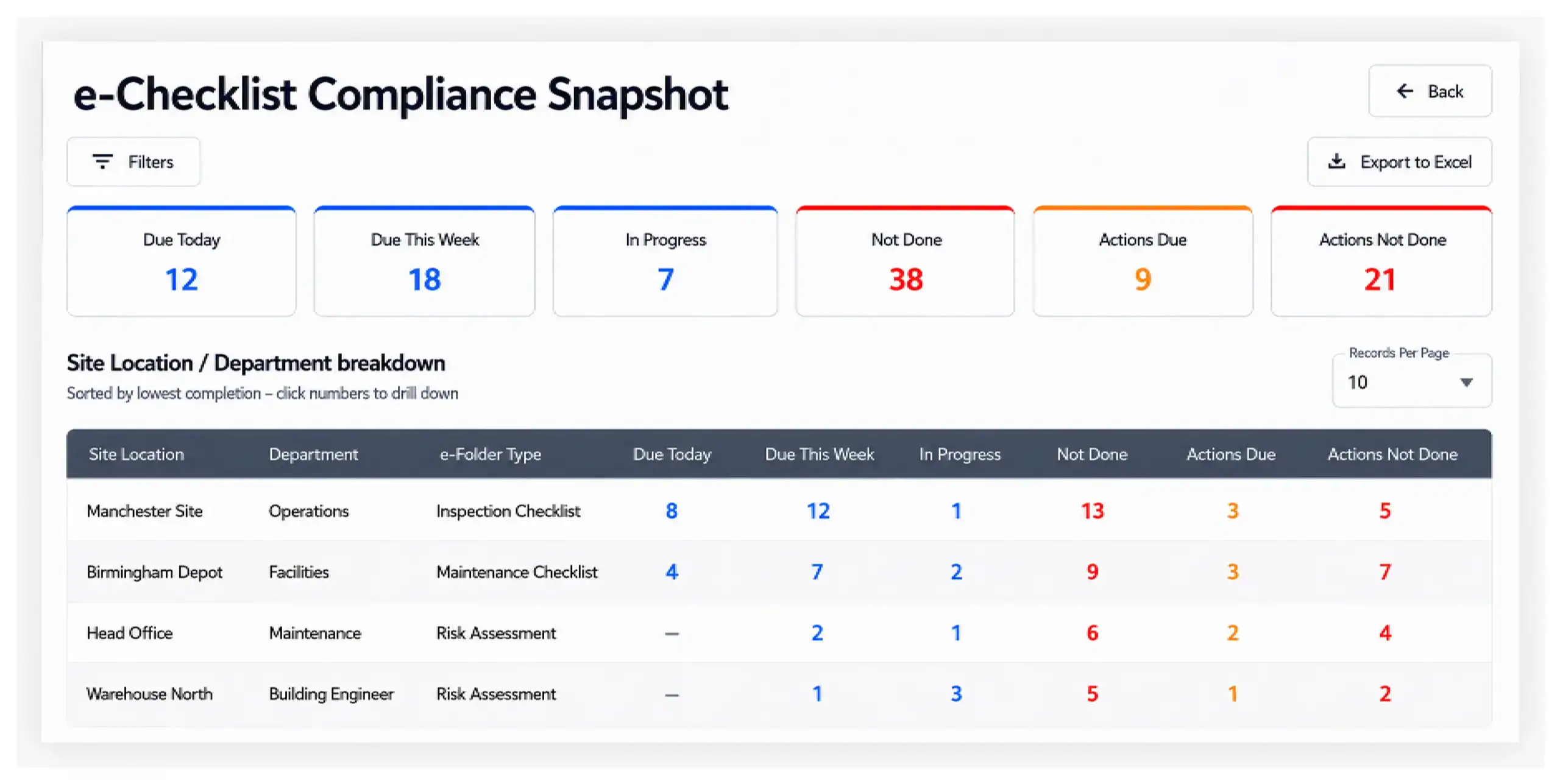
The new e-Checklist Snapshot provides a quick overview of outstanding e-Checklist activity across the organisation, highlighting checklists that are due today, due this week, in progress or not completed, along with actions that are due or still outstanding.
Activity is broken down by site location, department and e-Folder type, and any figure can be opened to view the users, e-Folders and checklist activity behind it. Unlike the other new reports, it sits within the e-Checklist area rather than the Reporting Dashboard.
Across most of the new reports, figures are a starting point rather than an end point. Selecting a summary count opens the users or records behind it, so a headline number leads directly to the users or records behind it.
In e-Learning Snapshot, Training Health and Expiry Forecast, managers can then send an email reminder to the trainee from within the report, so follow-up begins where the issue was spotted.
For managers, less time can go into assembling the picture and more into acting on it. The lowest-compliance areas are already surfaced, indicators of training that may warrant further review are easier to identify, and affected users can be reached without first exporting to a spreadsheet.
For organisations, the new reports provide earlier visibility of areas requiring attention. Upcoming expiries can be identified up to 90 days ahead, compliance can be compared over time, and managers can drill down from organisation-level figures to the users and training records behind them. Together, this provides a clearer basis for proactive training and compliance management.
Our support articles walk through each of these updates step by step: